
Learn more
Photos, videos, time lapse
NightCap Camera is a powerful app that takes amazing low light and night photos, videos and 4K time lapse. Long exposure produces beautiful photos in low light and unique Astronomy modes capture the stars, Northern Lights (Aurora) and more!
Night photos: Better and easier, automatically
Do you find your photos and videos dark and grainy in low light? NightCap will help by unlocking the full potential of your iPhone or iPad’s camera.
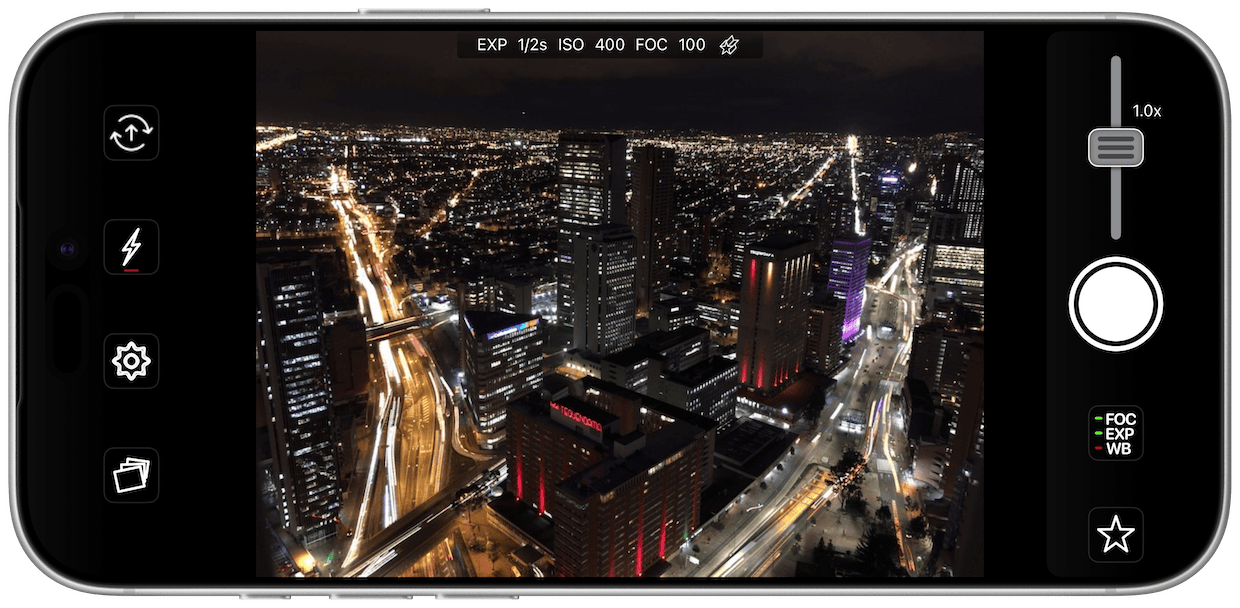
NightCap makes it easy by automatically setting optimum focus and exposure for a brighter, clearer shot. All you need to do is hold steady and tap the shutter. If you prefer manual control then instant gesture based adjustment is always available, and special camera modes give you DSLR like results. You can even shoot photos, videos and time lapse in black and white if you want to.
Take amazing photos with Long Exposure or Light Trails
Long Exposure — handheld, no tripod needed
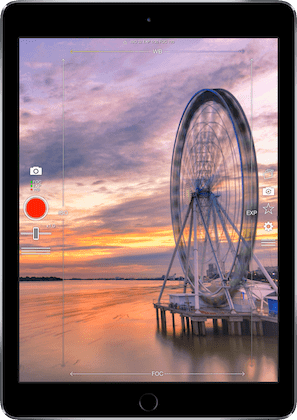
Try Long Exposure mode for amazing motion blur effects and reduced image noise in low light. Most apps need a tripod for this; NightCap doesn’t. It steadies and aligns the shot while you hold the phone, so you can take long exposures anywhere. ISO Boost allows 4x higher ISO, producing much brighter low light photos with low noise.
Light Trails
Light Trails mode preserves moving lights – ideal for moving traffic at night, fireworks or light painting. Exposure time is unlimited, so it doubles as a way to photograph star trails.
These modes are stunning when combined with HD or 4K time lapse!
Astronomy
There are 4 dedicated astrophotography camera modes, plus Aurora time lapse:
1. Stars
Ideal for a starry sky or Northern / Southern Lights (Aurora). It sets the camera up for you for best results – just point the camera upwards, place it in a tripod or a secure position, and tap the shutter.
2. Star Trails
Watch the stars paint circles in the sky! Takes very long exposure photos of the night sky — at least 15 minutes is recommended — so that the movement of the stars can be seen.
3. ISS
Designed to take amazing photos of the International Space Station (and other satellites) as they arc across the night sky.
4. Meteor
Automatically takes hundreds of photos, but only saves any that might contain a shooting star. Turn this mode on, point your camera up at the sky (ideally during a meteor shower), tap the shutter, wait an hour or so, and see what it’s captured!
Aurora
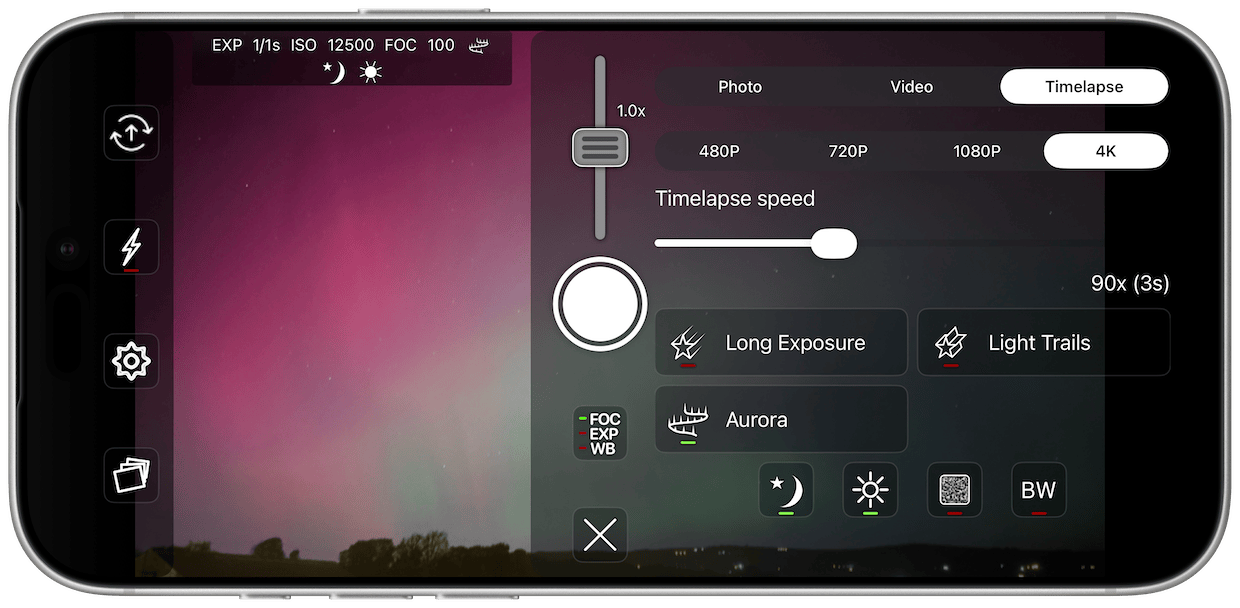
A time lapse mode built specifically for the Northern and Southern Lights, capturing the aurora as it moves across the sky.
Main features
Fully automatic camera control chooses the optimum settings for you, meaning brighter, clearer photos in low light with less risk of blurring the shot. All you need to do is hold steady and tap the shutter.
Handheld long exposure — NightCap steadies and aligns the shot, so no tripod is needed.
Low light video recording with special Night Mode and full manual control.
Time lapse recording with adjustable speed, long exposure and light trails support, at up to 4K resolution.
Innovative manual camera controls designed for photographers: intuitive gesture-based control of exposure, ISO, focus and even white balance. Simply swipe to adjust.
Automatic camera modes for meteors, the ISS, stars, star trails and the aurora make these difficult tasks easy.
Assisted focusing in very low light for fast, reliable focus.
ISO Boost allows up to 4x higher ISO.
Light Boost instantly boosts brightness while preserving image detail.
Noise Reduction Mode helps reduce image noise.
Tips: NightCap will advise you on how to improve your photos. Just look for the ! button that appears at the top right of the screen and tap it to view the tip. For example, if it’s too dark it’ll suggest turning on the Light Boost feature.
Comprehensive in-app help, always available while you shoot.
Pro tools
Camera Control support on iPhone 16 and later: switch lenses, zoom and focus without touching the screen.
Zoom control to 16x (camera-style for easy, smooth zoom).
Optional high quality JPEG or perfect quality TIFF photos.
Live shutter speed and ISO display.
Volume button shutter control.
On-screen grid to aid composition.
Self timer.
Versatile interval programmer.
Geotagging (saves location with photo).
Watch Support
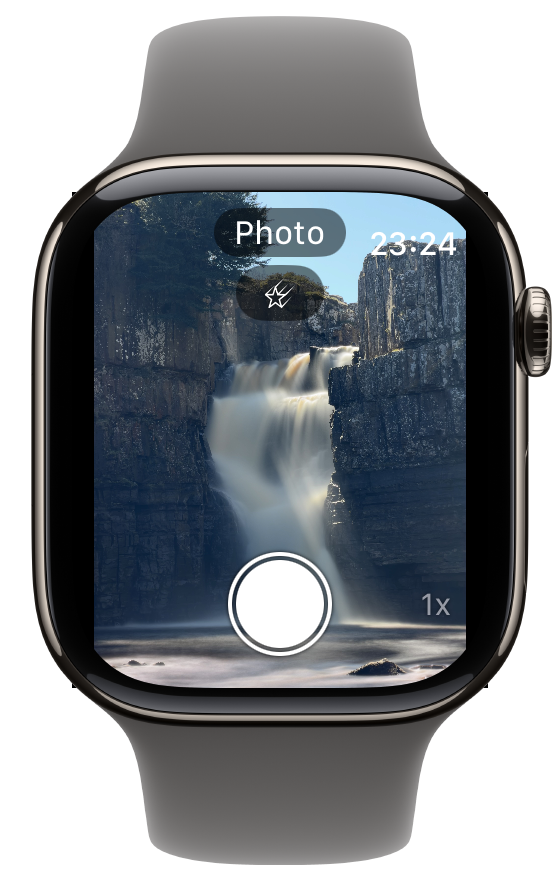
NightCap Camera fully supports Apple Watch. An included Watch App can be installed on the Watch, which communicates with NightCap on your iPhone.
With live preview, you can take photos, record videos, and control many of the app’s features directly from your wrist (long press to open the menu).
NightCap Camera is designed for both iPhone and iPad, and supports all current devices. Requires iOS 18.6 or later. Watch app requires watchOS 10.6 or later.
